
Transform Your Voice Into Text with AI Precision
VoxFlow uses advanced Whisper AI models to deliver lightning-fast, accurate transcription. Everything runs locally on your device—your privacy is guaranteed.
Unique Advantages
Why VoxFlow is the best choice for voice transcription
Complete Privacy
All processing happens locally without sending data to the cloud
Works Everywhere
Text insertion works in any application thanks to system APIs
Low Resource Usage
Rust backend ensures maximum efficiency
Flexible Configuration
Multiple options to personalize to your needs
Transcription History
Never lose your recorded text
Fast Hotkeys
Hotkeys work instantly from any application
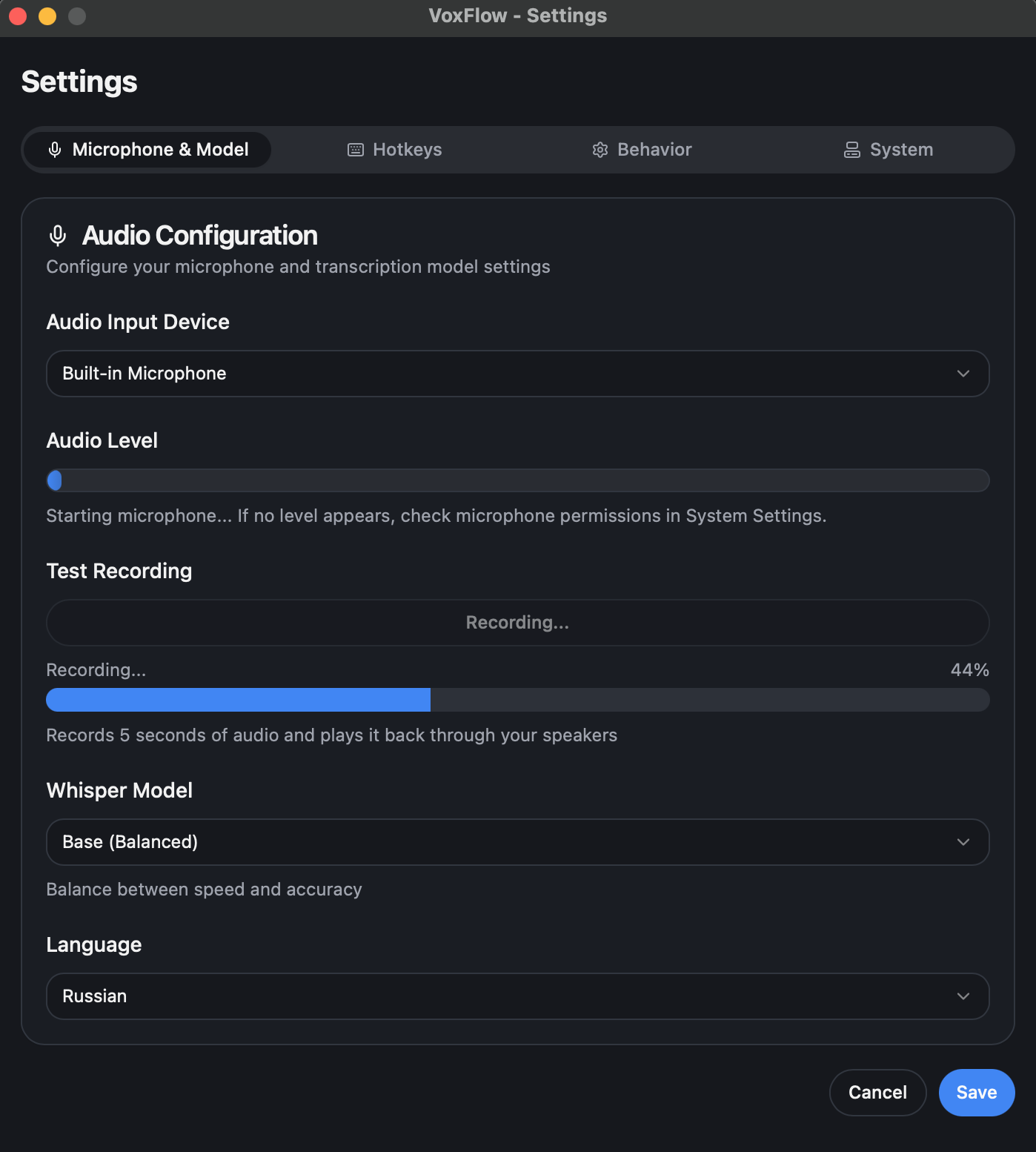
Flexible Audio Configuration
Choose your preferred microphone from all available input devices. Select from multiple Whisper AI models including Base, Small, and Tiny variants to balance speed and accuracy for your needs.
- Support for 90+ languages including English, Russian, Spanish, French, and more
- Real-time audio level monitoring with visual feedback
- Test recording feature to verify your setup before use
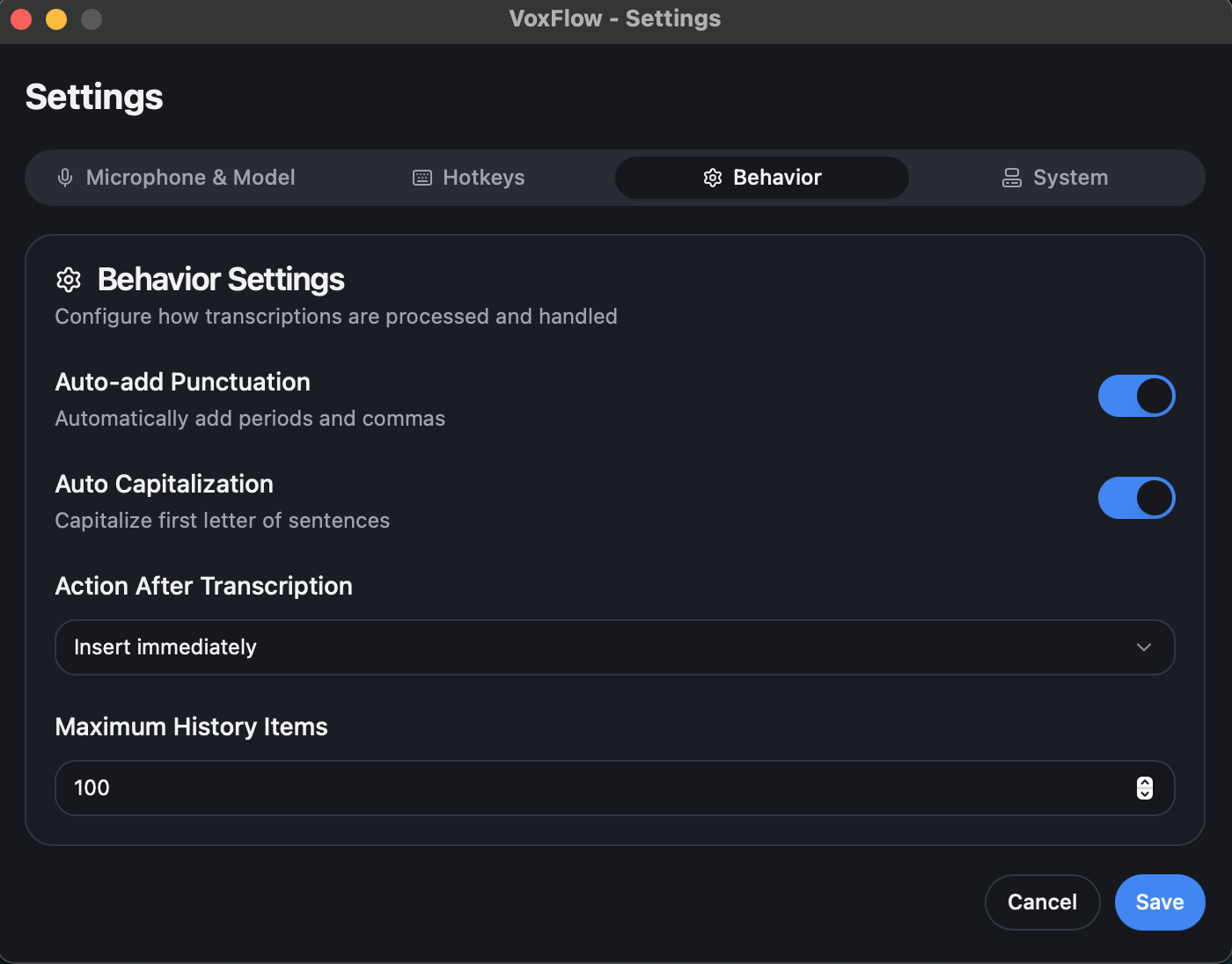
Smart Text Processing
Configure how VoxFlow processes your transcriptions with intelligent behavior settings. Automatically polish your text to match professional writing standards.
- Auto-punctuation adds periods and commas for readable text
- Auto-capitalization for proper sentence structure
- Insert text immediately or copy to clipboard
- Configure maximum history items for storage management
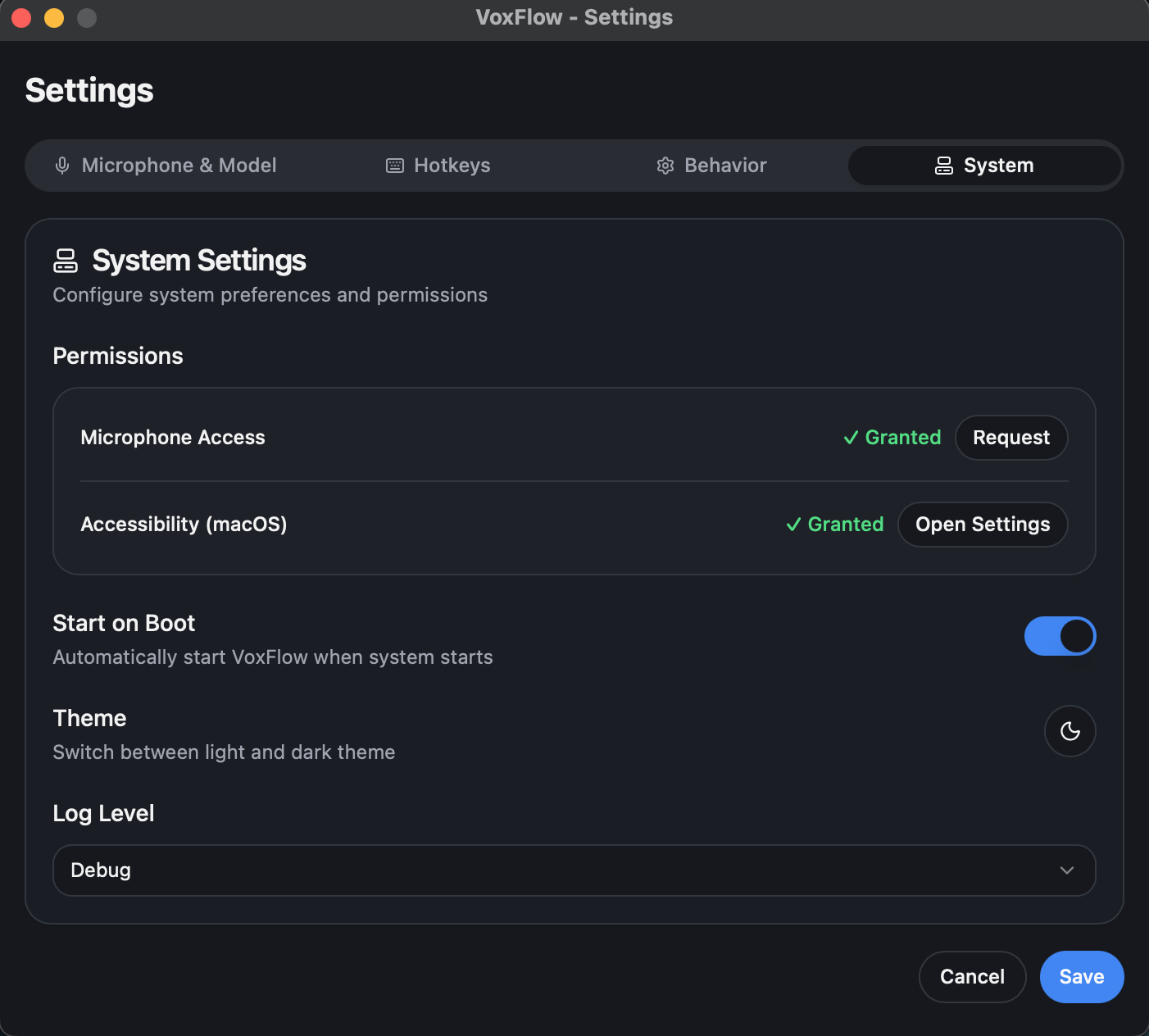
Seamless System Integration
VoxFlow integrates deeply with your operating system to provide a smooth, native experience. Manage all system-level settings and permissions from one convenient interface.
- Easy microphone access and accessibility permissions management
- Launch VoxFlow automatically when your system starts
- Switch between light and dark themes to match your preference
- Configurable log levels for debugging and troubleshooting
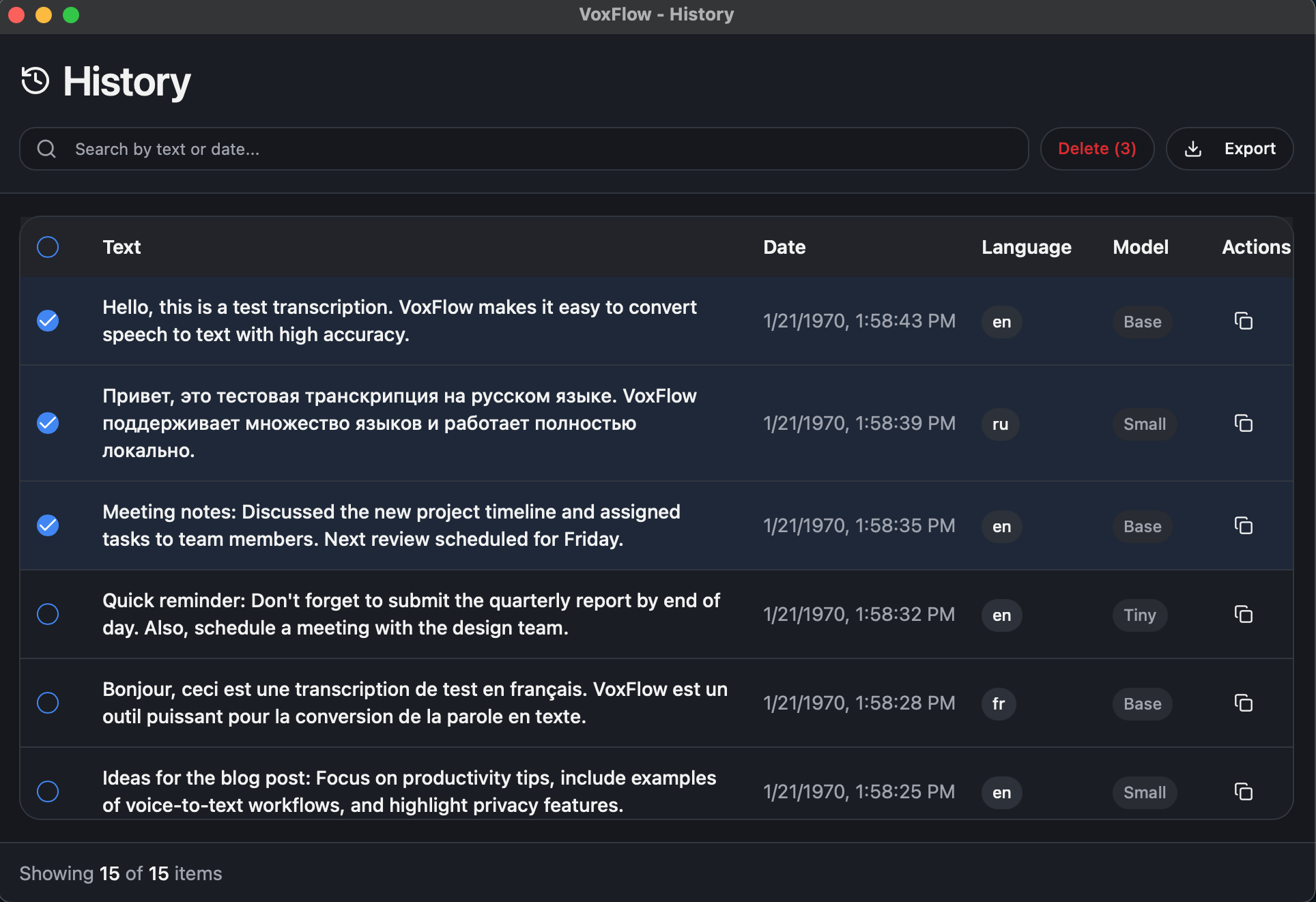
Complete Transcription History
Never lose track of your transcriptions. VoxFlow maintains a comprehensive, searchable history of all your voice recordings with powerful management tools.
- Search transcriptions by text content or date
- Export individual or multiple transcriptions at once
- View language and model used for each recording
- Detailed timestamps and metadata for every entry
Built For Everyone
From professionals to students, VoxFlow adapts to your workflow
Writers & Bloggers — Fast text dictation
Students — Record lectures and notes
Professionals — Dictate documents and notes
Accessibility Users — Alternative text input
Multilingual Users — Support for many languages
Productivity Enthusiasts — Speed up text work
Built for Performance
Optimized for speed and efficiency without compromising accuracy
Rust-Powered Backend
Low resource consumption with efficient memory management and automatic buffer cleanup
Fast Transcription
Optimized audio processing with asynchronous operations for smooth interface
Privacy-First Design
All transcription happens locally on your device using on-device AI models. No cloud services, no data collection, no privacy concerns. Your voice data never leaves your computer, ensuring complete confidentiality.
Local Processing
All data stays on your computer
No Cloud Upload
Complete privacy guaranteed
Secure Storage
Safe configuration and history management
Simple to Use
Get started in minutes
Installation & Setup
App appears in system tray. Open settings through tray menu, select microphone and model, configure hotkeys (or use defaults)
Daily Usage
Press hotkey to start recording, speak into microphone, press hotkey again to stop. Text automatically inserts into active application
Download VoxFlow
Choose your platform and start transcribing in minutes
Free download • No registration required • Open source